To remove a specific URL (for example, the page http://www.example.com/page4.html) of your own website from Google’s index, there are two options available:
Table of Contents
Option #1: Use the robots meta-element with NOINDEX
Add the meta-element robots to the source code of the page which is not supposed to appear in the index and set the value to NOINDEX.
By adding the following to the source code of a page, it will be removed from the index:
<meta name="robots" content="noindex">
You have to add the meta-element in the <head> area of the specific page:
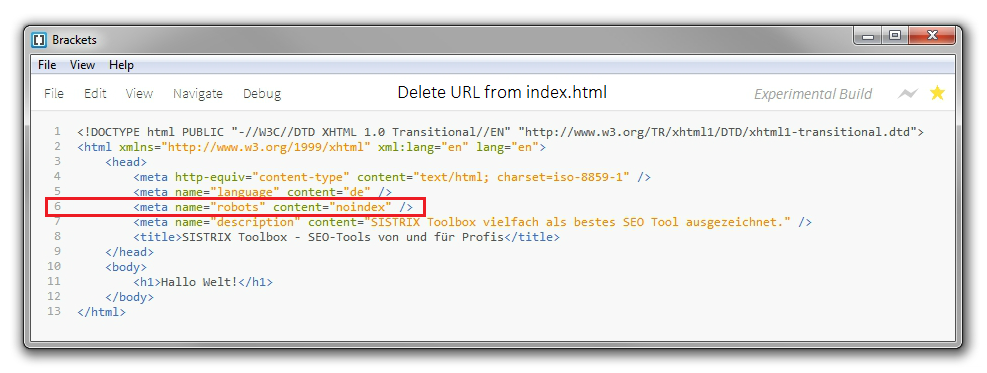
line 6: robots meta element with the value NOINDEX in the source code
If the page already has the robots meta-element with the value INDEX, you can simply replace it with NOINDEX.
Done. Now you just have to wait until the desired URL is removed from the Google index.
By using the meta-robots value NOINDEX, the URL will also be removed from the index of Microsoft’s search engine Bing.
Option #2: Use the Google Search Console
Using a setting within the Google Search Console, you are able to easily have a URL removed from the Google index.
In case you are not yet using the Google Search Console, you can activate your website for the free (www.google.com/webmasters/tools/?hl=en) in just a few minutes. This also lets you remove URLs from the Google Index afterwards.
Removing a URL from the index with the Google Search Console:
- Log into the Google Search Console and select the desired website
- Click on “Optimization” in the left-hand navigation
- Click on “Remove URL” in the sub-menu
- Click on the button “create a new request for removal” on this page
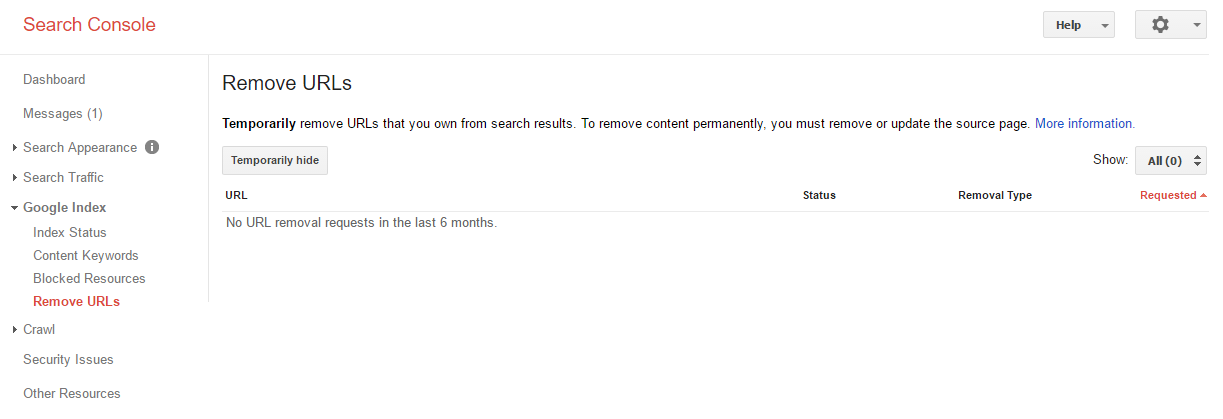
Option to remove a URL from the Search Console
- You will now be asked to type in the URL of the page that you want to be removed and confirm your choice by clicking on “continue” (in our example this is the page http://www.example.com/page4.html)
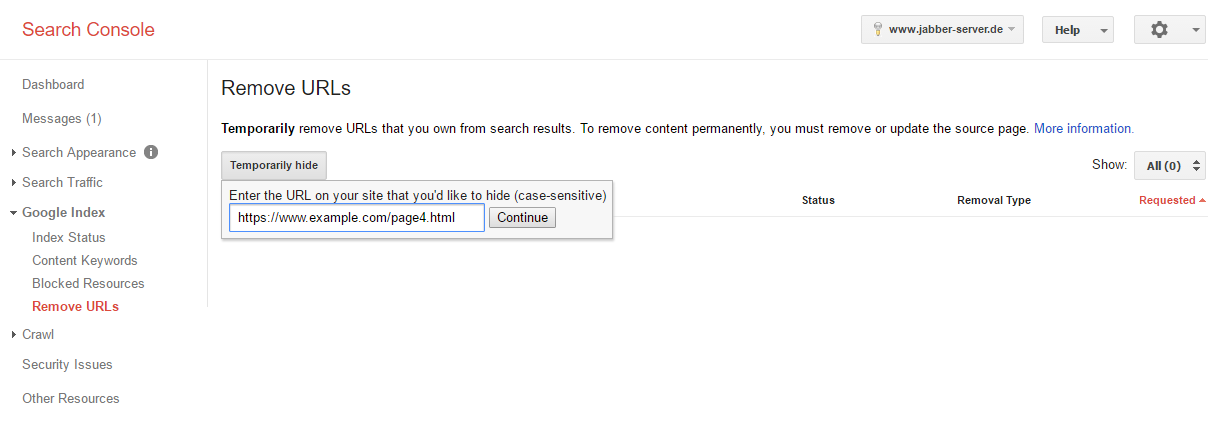
Option to remove a URL in the Search Console: Entering of a URL
Done. Now you have to wait some time until the desired URL is removed from Google’s index.
The Google Search Console will now also indicate the status of the removal process of the URL on this page.
The search engine Bing also provides their own webmaster tools, which you can use to have URLs removed from their index.
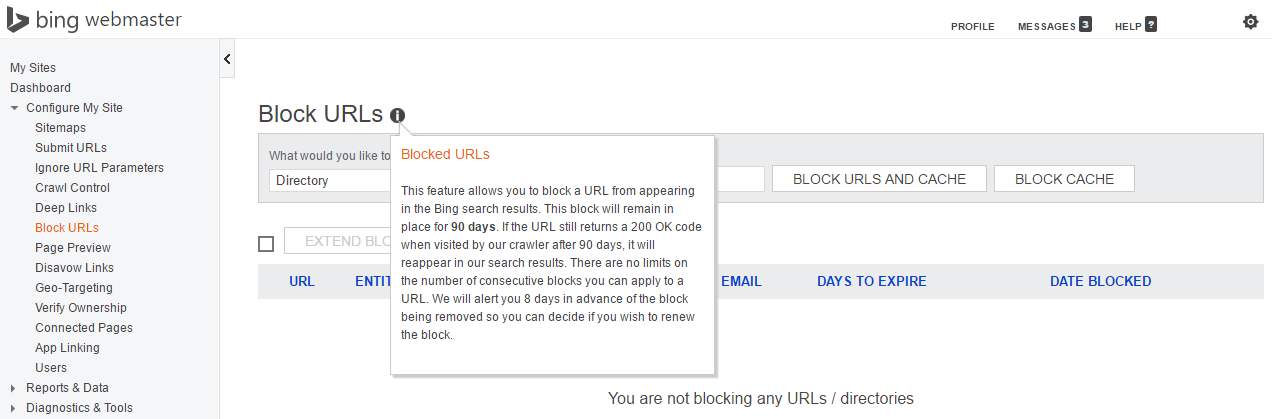
Bing webmaster tools option of blocking a URL from being indexed
(http://www.bing.com/toolbox/webmaster)
Tip
If you use option #2 to remove a URL from the index, by using the Google Search Console / Bing Webmaster-Tools, the deletion may only be temporary in some cases.
The URL will definitely be removed from the search index for 90 days. Afterwards, there is a possibility that the URL may be re-introduced into the index, if the URL is still accessible and links still point to it.
If you want to make sure that a URL is permanently removed from the index, you should go with option #1 and use the robots meta-element with NOINDEX.